PDF guide
How to reduce PDF file size for email and upload limits
Short answer
Most of a PDF’s size comes from the photos and scanned pages inside it. Recompressing only those images keeps the text sharp while cutting the size a lot; with DrPDF Compress PDF you add the file, pick a level, and save. If it is still too big, send only the pages you need.
Compress a PDFWhy is my PDF file so big?
Most of a PDF’s size comes from the photos and scanned pages inside it. Some programs also embed whole font files.
- Scanned or photographed pages: every page is a large image.
- High-resolution photos: a single phone photo is often 3-5 MB.
- Fully embedded fonts: some programs embed whole font files.
Text-only PDFs are already small and barely shrink.
How do I compress a PDF for free?
Add the file to Compress PDF, pick a level, and save. It recompresses only the JPEG images inside the PDF and leaves text and lines untouched. The file never leaves your device, and you see the new size before saving.
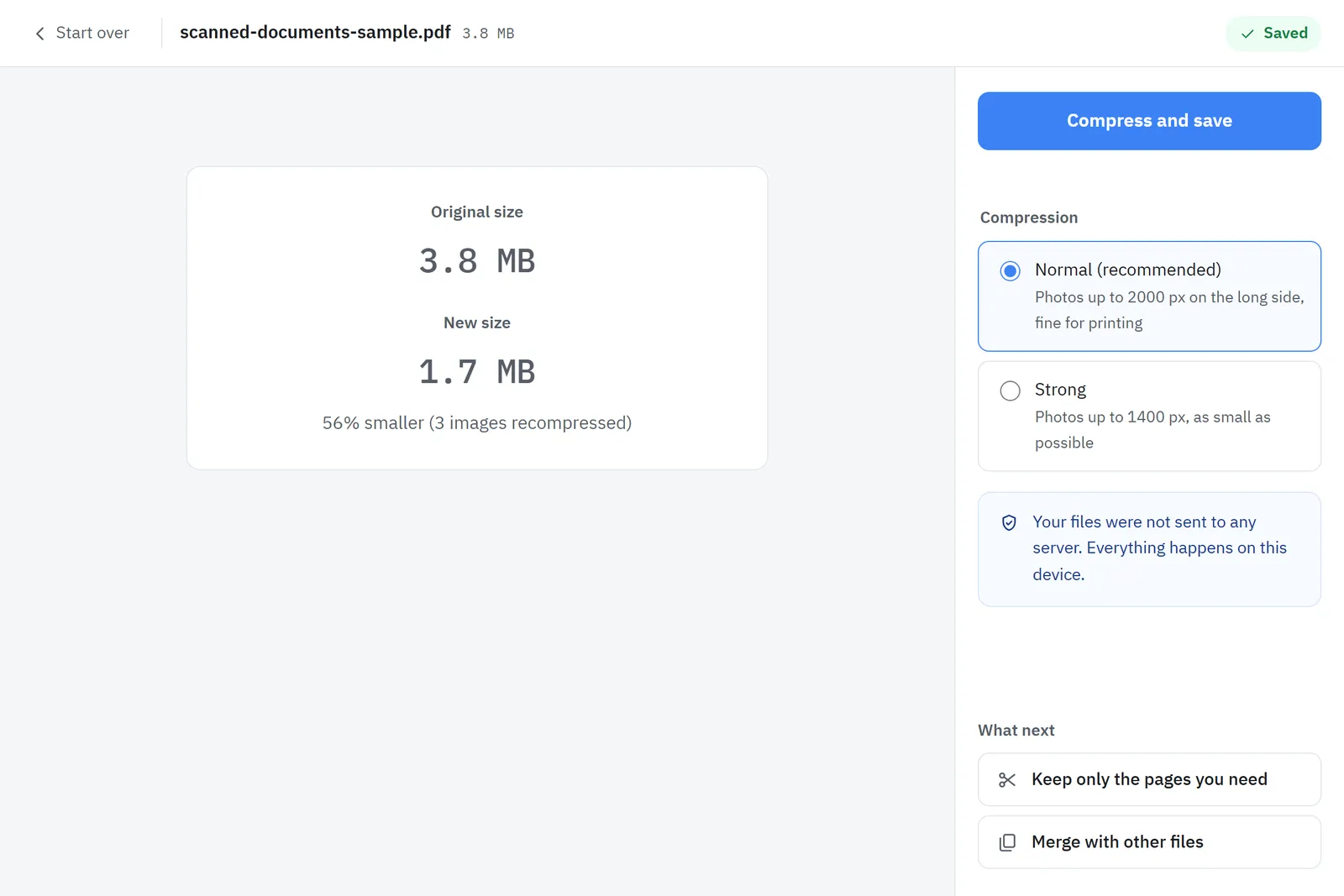
| Level | Result | Use for |
|---|---|---|
| Normal | Fine on screen and in print | Most submissions |
| Strong | Photos a bit rougher, smaller file | Very small upload limits |
What if my PDF still will not shrink?
Send only the pages you need. If the PDF was made from phone photos, you can also rebuild it with a tool that resizes large photos.
- Send only what is needed: use Split PDF to keep just the required pages.
- Start with smaller photos: build the PDF with Images to PDF, which resizes large photos.
- Black-and-white scans using special compression are not recompressed; splitting is faster.
Sources
- Send attachments with your Gmail message (size limits) · Google Help