HWP guide
How to open an HWP file on your phone (KakaoTalk files)
Short answer
You can open HWP files on a phone without installing an app. Save the file from KakaoTalk to your phone, open the DrPDF HWP to PDF page in your mobile browser, and choose the file. On Android, after adding DrPDF to your home screen, you can share the file from KakaoTalk straight to DrPDF.
Open HWP on your phoneHow do I open an HWP file on Android?
On Android, add DrPDF to your home screen once, then share the HWP file from KakaoTalk straight to DrPDF and it opens.
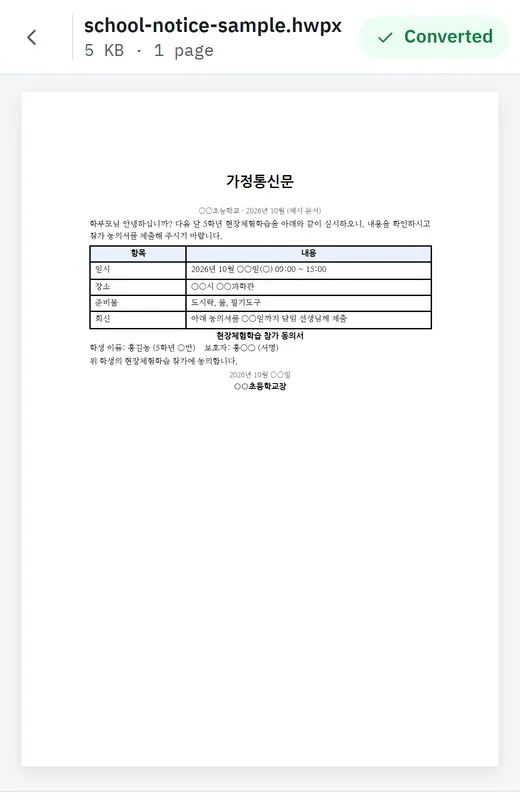
- In Chrome, open drpdftool.com and choose Add to Home screen (or Install app) from the ⋮ menu. You only do this once.
- In KakaoTalk, open or long-press the HWP file and tap Share.
- Choose DrPDF from the share list and the file opens.
How do I open an HWP file on iPhone?
On iPhone, save the HWP file from KakaoTalk to the Files app, then open the HWP to PDF page in Safari and choose that file. Sharing directly from KakaoTalk only works on Android.
- In KakaoTalk, tap the HWP file, then the share button, and choose Save to Files.
- In Safari, open the HWP to PDF page.
- Tap Choose file and pick the file you saved.
Safari on iPhone does not let websites appear in the share list, so sharing directly from KakaoTalk only works on Android.
What can I do after the HWP file opens?
You can save it as PDF to send again, sign it, or combine it with other documents.
Sources
- share_target, Web app manifest (browser support) · MDN (Mozilla)