HWP guide
How to convert HWP to PDF: 3 ways
Short answer
If you have Hangul, use File → Save as PDF for the most faithful result. Without Hangul, upload-free browser tools such as DrPDF convert HWP and HWPX to PDF in seconds, on a computer or a phone.
Convert HWP to PDFWhich HWP to PDF method should I use?
If Hangul is installed, save as PDF in Hangul for a result identical to the original. Without Hangul, on a computer or a phone, convert in the browser; the layout stays very close, but fonts become Nanum.
| Situation | Method | Layout accuracy |
|---|---|---|
| Hangul is installed | Save as PDF in Hangul | Identical to the original |
| No Hangul (computer) | Convert in the browser | Very close; fonts become Nanum |
| Phone | Convert in the phone browser | Very close; fonts become Nanum |
1. Save as PDF in Hangul
- Open the document in Hangul.
- From the File menu choose Save as PDF (in some versions, Save As and pick PDF).
- Choose a name and location and save.
You can also print and choose "Microsoft Print to PDF" (Windows) or "Save as PDF" (Mac) as the printer.
2. Can I convert HWP to PDF without Hangul?
Yes. Add the HWP or HWPX file to a browser converter and save it as PDF. Here are the steps.
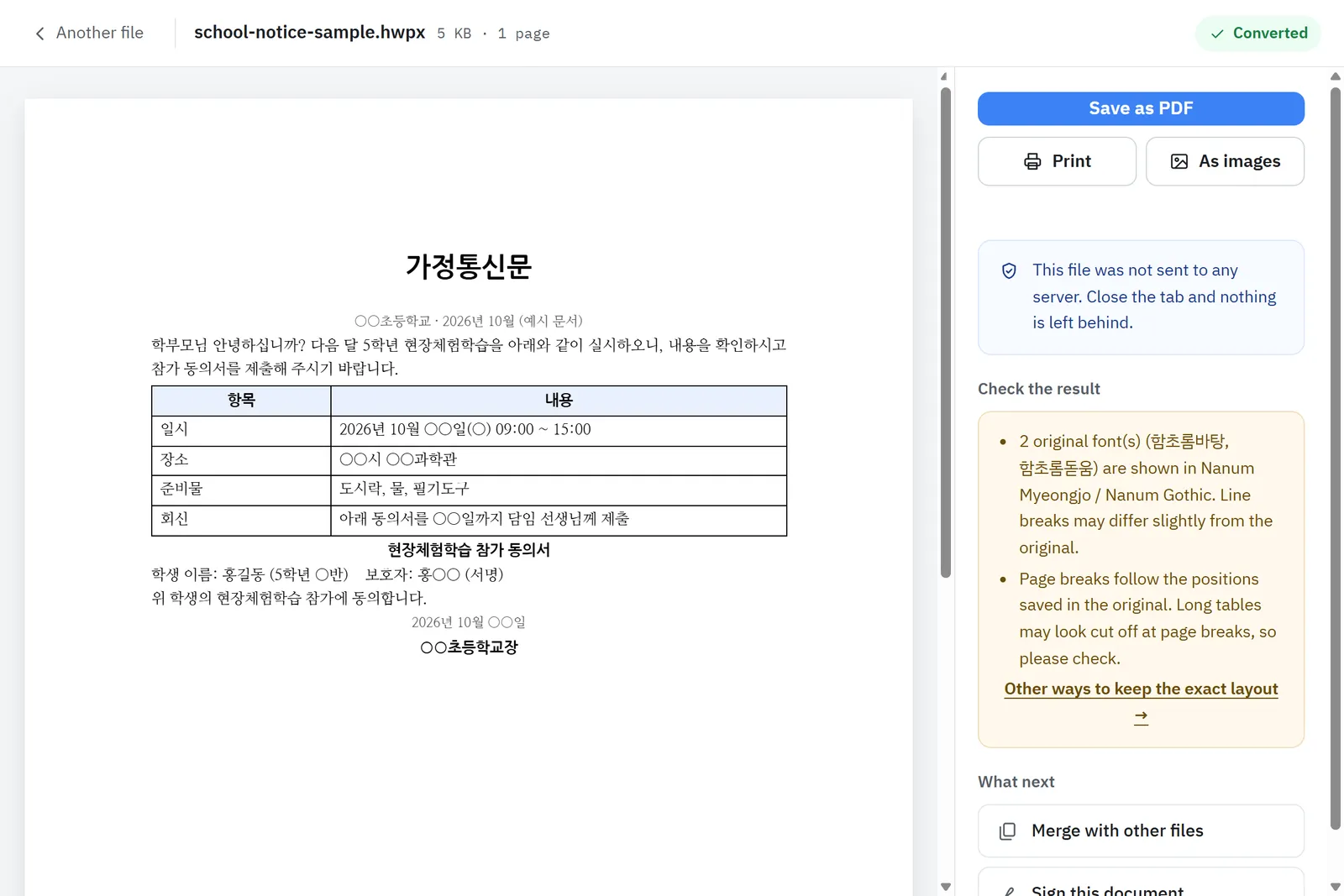
- Open HWP to PDF.
- Drag in the HWP or HWPX file.
- Check the preview and press Save as PDF.
Conversion runs inside your browser, so documents with ID numbers or bank details never leave your device. There are no limits and no watermark.
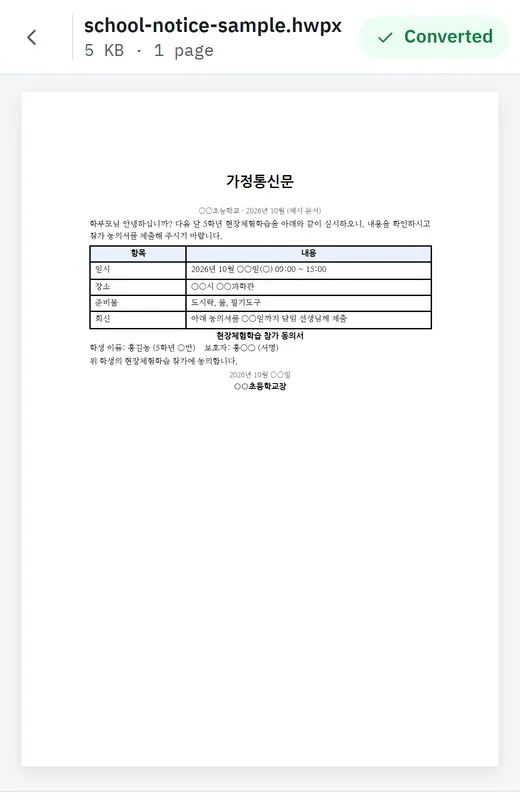
3. Can I convert HWP to PDF on my phone?
Yes. Method 2 works the same in a phone browser. See how to open HWP on your phone for KakaoTalk files.
Sources
- Save as PDF (Hangul help) · Hancom
- Save a document as a PDF on Mac · Apple Support